CSS stands for Cascading Style Sheets. It is a stylesheet language for the web, in which helps streamline the design process of websites and applications
CSS is used to specify the presentation (layout and style) of markup languages
CSS is relatively easy to learn and produced much better and cleaner code than directly applying all the styles to HTML.
By Modularising code, and modularising styling choices using CSS, you can seperate the functional elements of the website and the design elements of the website into two different files. Modular code allows for greater design consistency and easier maintenence. HTML structure and CSS presentation are seperate.
CSS solved a big problem. In development of large websites, where fonts and colour were needed to be added to every single page, this became a long and expensive task using just HTML. CSS was created to remove any style formatting from the HTML page
| Advantage | Description |
|---|---|
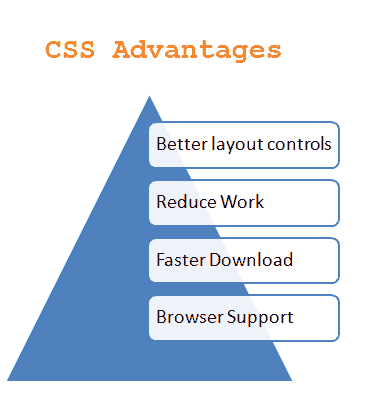
| Easier to Maintain and Update | Changing one line of code in HTML doesnt apply to all classes/types associated to it. CSS shows design seperation and all the design choices can be viewed in a seperate file, making the switch between front-end development and backend work simple |
| More formatting Options | CSS provides added functionality to format elements on the screen correctly. While also allowing the developer to control presentation of pages, as to what is loaded first (text or graphics?) for example |
| Faster Download Times | Because there is SIGNIFICANTLY less code running on top of your web page, it helps the download speed. Because CSS is in a seperate file, all the information will be already cached in the browser |
Pseudo-Classes in CSS
For this example, Psuedo classes in CSS allows you to style an element when a user mouses over it, style visited and unvisited links differently, and style and element when it gets focus
In CSS, applying styling to either all or specific elements are able to be done in a few simple lines of code:
Effect of applying CSS to ALL elements in a class
Within this block of CSS code, we can save so much re-typing of HTML styles. Designing each element using HTML is very time consuming if you have many elements on a page. However with CSS, you are able to define colours, fonts, positions and styles all within one definition
Colors of the following 'div' elements have been defined in the .css file, as well as the actions involved
/* unvisited link */
	a:link {
	color: red;
}

/* visited link */
    a:visited {
    color: green;
}

/* mouse over link */
	a:hover {
	color: hotpink;
}
Following the code shown above, There is now a different colour for each state in a button/link. This code applies to ALL newly created links(type 'a' tags) if referenced properly, it will save tedious re-typing
When you hover your mouse over the button or link (as shown below) the colour will change to a 'hotpink'